
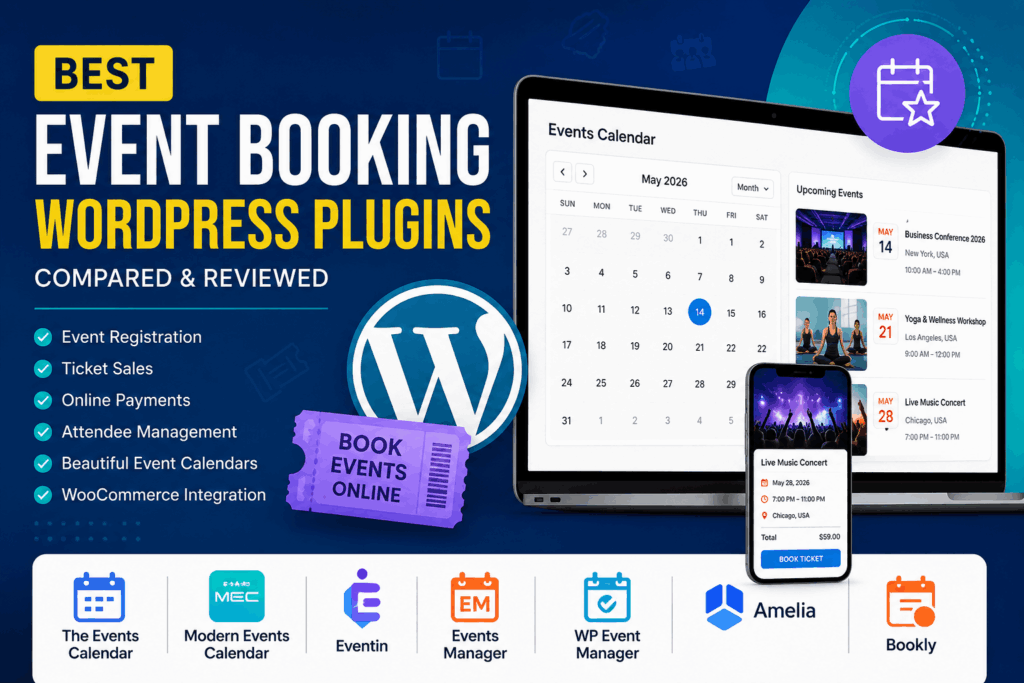
Looking for the best Event Booking WordPress plugin? Whether you’re organizing conferences, workshops, webinars, concerts, classes, or local community events, the right plugin can automate registrations, sell tickets, accept payments, and manage attendees—all from your WordPress dashboard.
In this guide, we’ve compared the best event booking plugins for WordPress based on features, ease of use, integrations, pricing, and overall value.
Why You Need an Event Booking Plugin
Managing events manually quickly becomes difficult as registrations grow. A quality event booking plugin helps you:
- Create unlimited events
- Accept online registrations
- Sell free or paid tickets
- Process online payments
- Send confirmation emails
- Generate attendee lists
- Manage recurring events
- Display beautiful event calendars
- Sync with Google Calendar
- Integrate with WooCommerce
Whether you’re a business, university, nonprofit, or event organizer, these plugins save time and improve the attendee experience.
1. The Events Calendar
Best For: Most WordPress websites
The Events Calendar is one of the most popular event management plugins available for WordPress. It offers a clean interface, flexible calendar layouts, venue management, organizer profiles, and support for recurring events through premium add-ons.
Key Features
- Monthly, weekly, daily, and list views
- Event categories and tags
- Venue management
- Organizer profiles
- Google Maps integration
- Event search and filters
- Recurring events (Pro)
- Event Tickets integration
Pros
- Beginner-friendly
- Large community
- Excellent documentation
- Highly customizable
Cons
- Many advanced features require premium add-ons
Pricing: Free + Premium plans
2. Modern Events Calendar (MEC)
Best For: Beautiful event websites
Modern Events Calendar focuses on stunning event displays while providing powerful booking functionality.
Key Features
- 50+ event layouts
- Ticket booking
- QR Code tickets
- WooCommerce integration
- Zoom integration
- Elementor support
- Booking limits
- Multiple organizers
Pros
- Excellent UI
- Responsive layouts
- Rich booking features
Cons
- Premium version recommended for advanced functionality
Pricing: Free + Pro
3. Eventin
Best For: Conferences and webinars
Eventin has become one of the fastest-growing event management plugins thanks to its complete feature set.
Key Features
- Event booking
- Event ticket sales
- WooCommerce support
- Zoom meetings
- Google Meet
- Speaker profiles
- Event schedule builder
- QR check-in
- Attendee management
Pros
- Feature-rich
- Excellent conference management
- Modern dashboard
Cons
- Some features require Pro
4. Events Manager
Best For: Free booking solution
Events Manager has been around for many years and remains one of the most powerful free event booking plugins.
Features
- Event registrations
- Booking approvals
- Event locations
- Recurring events
- BuddyPress support
- Multisite compatible
Pros
- Powerful free version
- Developer friendly
- Flexible permissions
Cons
- Interface feels dated
5. WP Event Manager
Best For: Business websites
WP Event Manager offers lightweight performance with premium extensions for advanced booking functionality.
Features
- Frontend event submission
- Event listings
- Registration management
- WooCommerce integration
- Google Maps
- Calendar view
- Zoom events
Pros
- Lightweight
- Modular
- Fast loading
Cons
- Many features are sold separately
6. Amelia
Best For: Businesses offering appointments and events
Although Amelia is widely known as an appointment booking plugin, it also provides excellent event booking capabilities.
Features
- Event booking
- Staff management
- Online payments
- Google Calendar sync
- SMS notifications
- Coupons
- Zoom integration
Pros
- Beautiful booking interface
- Excellent automation
- Great customer experience
Cons
- Premium pricing
7. Bookly
Best For: Appointment-based events
Bookly combines appointment scheduling with event booking features.
Features
- Online reservations
- Payment gateways
- Staff scheduling
- SMS reminders
- Email notifications
- Calendar synchronization
Pros
- Easy setup
- Professional booking forms
- Reliable
Cons
- Many features require Bookly Pro
Feature Comparison
| Plugin | Free Version | Ticket Sales | WooCommerce | Recurring Events | Calendar Views |
|---|---|---|---|---|---|
| The Events Calendar | ✅ | ✅ | ✅ | Premium | Excellent |
| Modern Events Calendar | ✅ | ✅ | ✅ | ✅ | Excellent |
| Eventin | ✅ | ✅ | ✅ | ✅ | Excellent |
| Events Manager | ✅ | ✅ | Limited | ✅ | Good |
| WP Event Manager | ✅ | Premium | ✅ | Premium | Good |
| Amelia | Limited | ✅ | ✅ | ✅ | Excellent |
| Bookly | Limited | ✅ | Premium | No | Good |
1. The Events Calendar
Official Website: https://theeventscalendar.com/
WordPress.org: https://wordpress.org/plugins/the-events-calendar/
2. Modern Events Calendar (MEC)
Official Website: https://webnus.net/modern-events-calendar/
WordPress.org: https://wordpress.org/plugins/modern-events-calendar-lite/
3. Eventin
Official Website: https://themewinter.com/eventin/
WordPress.org: https://wordpress.org/plugins/wp-event-solution/
4. Events Manager
Official Website: https://wp-events-plugin.com/
WordPress.org: https://wordpress.org/plugins/events-manager/
5. WP Event Manager
Official Website: https://wp-eventmanager.com/
WordPress.org: https://wordpress.org/plugins/wp-event-manager/
6. Amelia
Official Website: https://wpamelia.com/
WordPress.org (Lite): https://wordpress.org/plugins/ameliabooking/
7. Bookly
Official Website: https://www.booking-wp-plugin.com/
WordPress.org (Lite): https://wordpress.org/plugins/bookly-responsive-appointment-booking-tool/
Which Plugin Should You Choose?
Choose The Events Calendar if:
- You want the most trusted solution.
- You need a powerful event calendar.
- You want long-term scalability.
Choose Modern Events Calendar if:
- Design matters most.
- You need beautiful event pages.
Choose Eventin if:
- You organize conferences.
- You need speaker management.
- You host webinars.
Choose Events Manager if:
- You want a powerful free plugin.
- You’re comfortable with advanced settings.
Choose Amelia if:
- You run classes or workshops.
- You also manage appointments.
Things to Consider Before Choosing
Before installing an event booking plugin, consider:
- Ease of use
- Mobile responsiveness
- WooCommerce compatibility
- Payment gateway support
- Email notifications
- Calendar synchronization
- Ticket management
- QR code check-in
- Performance impact
- Customer support
- Pricing
Final Verdict
The best event booking plugin depends on your specific needs.
- Best Overall: The Events Calendar
- Best Design: Modern Events Calendar
- Best for Conferences: Eventin
- Best Free Plugin: Events Manager
- Best Business Booking: Amelia
- Best WooCommerce Integration: Eventin
- Best Lightweight Option: WP Event Manager
If you’re just getting started, The Events Calendar is an excellent choice because of its reliability, flexibility, and extensive ecosystem. If you need advanced attendee management, QR check-ins, and conference features, Eventin is a strong contender. Businesses that require both appointments and event registrations should consider Amelia.
No matter which plugin you choose, automating your event booking process will save time, improve customer satisfaction, and help your events run more smoothly.
Frequently Asked Questions
What is the best free Event Booking WordPress plugin?
Events Manager and The Events Calendar both offer generous free versions with event creation, registration, and calendar functionality.
Which plugin is best for selling event tickets?
Eventin, The Events Calendar (with Event Tickets), and Modern Events Calendar all provide strong ticket-selling capabilities with payment gateway support.
Can I use WooCommerce for event bookings?
Yes. Most leading event booking plugins, including Eventin, Modern Events Calendar, WP Event Manager, and The Events Calendar, integrate with WooCommerce for ticket sales and payments.
Which plugin is best for conferences?
Eventin is particularly well-suited for conferences because it includes speaker management, schedules, attendee check-in, and webinar integrations.